
Release a phone number
Remove a purchased phone number from your account when you no longer need it.
1 min readUpdated 2022-12-03easy
If you no longer need a dedicated phone number, you can release it from your account to stop billing for it.
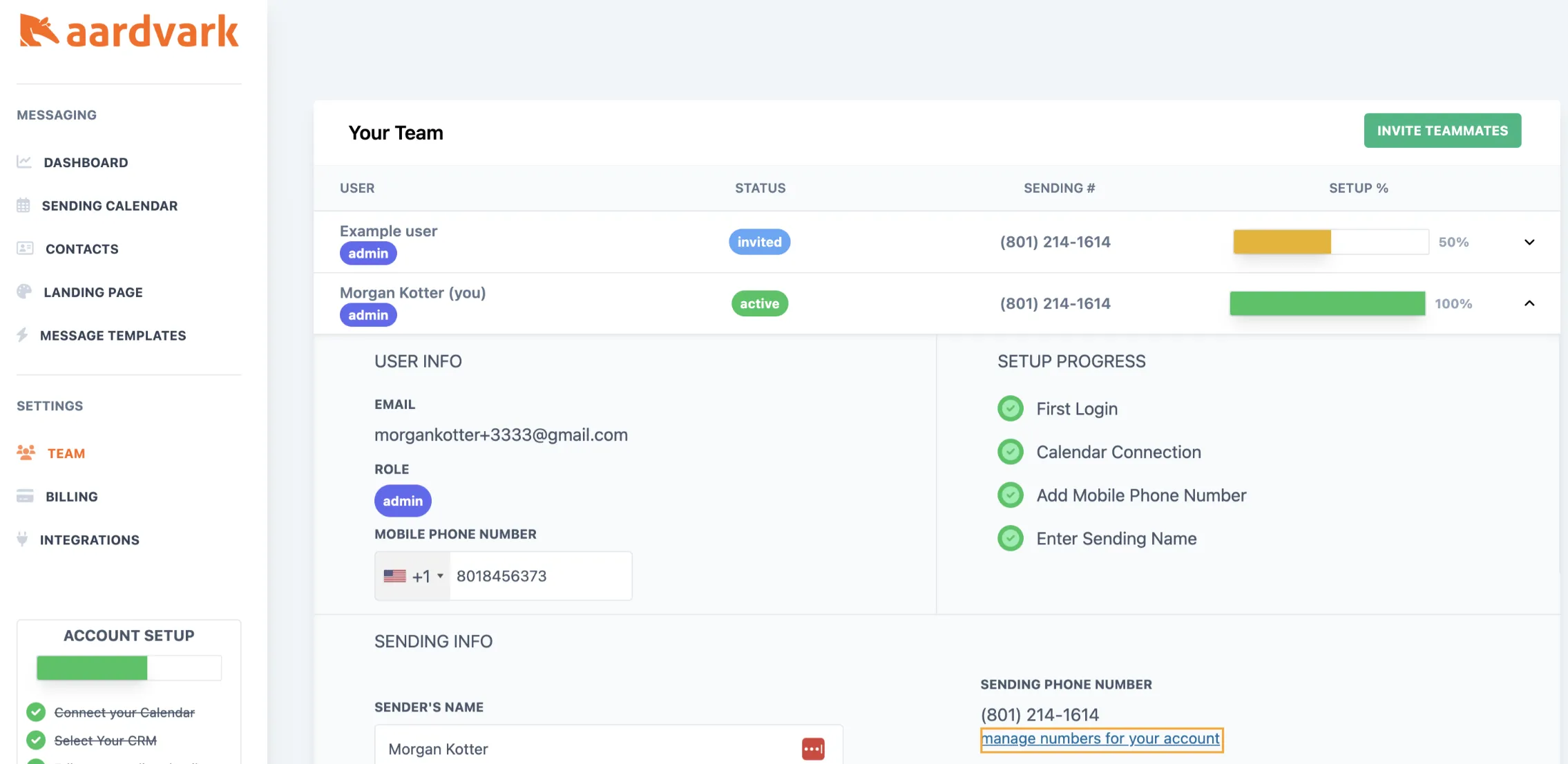
- Go to your Team or Billing page and click Manage phone numbers.
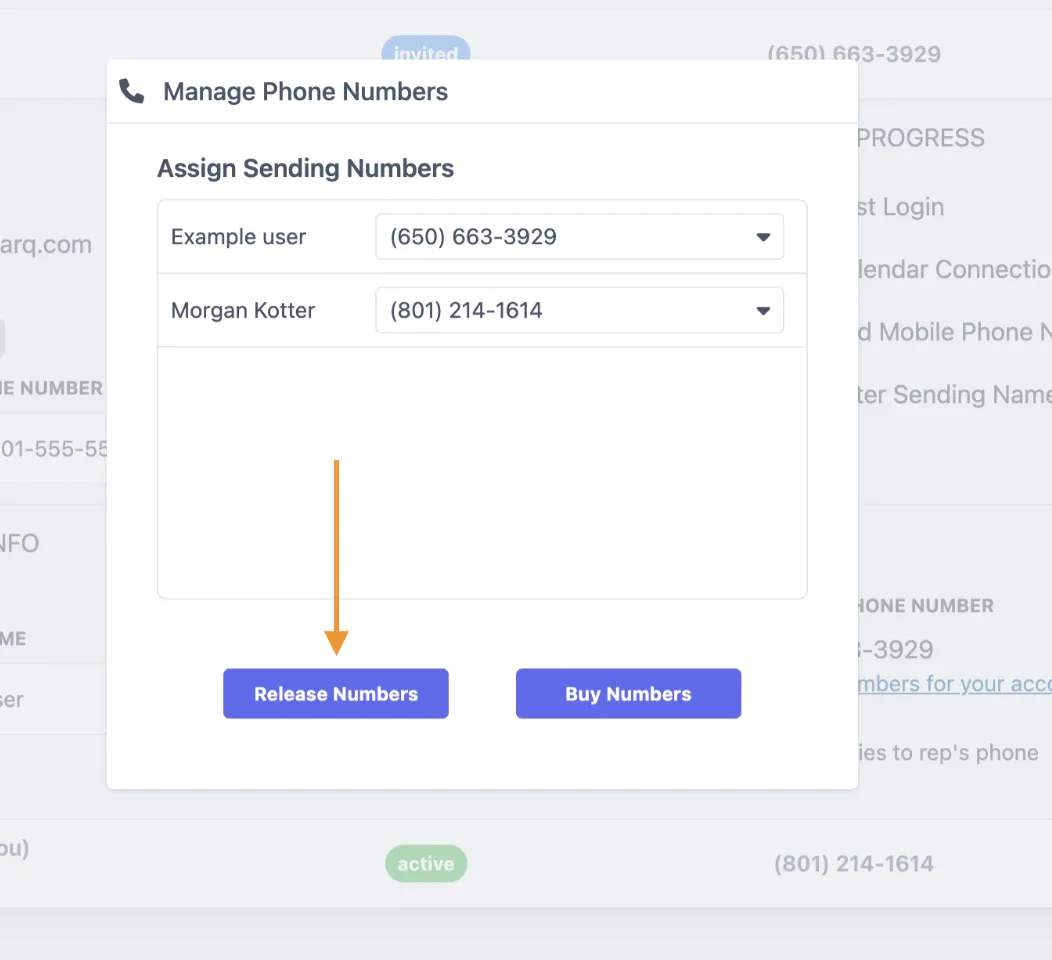
- Click Release numbers to remove the number from your account.
More in Messages & Templates
Was this article helpful?
Can't find what you need? Contact support