
Configure message templates
Set up SMS sequences for meeting confirmations, reminders, and follow-ups to reduce no-shows.
Message templates let you automate SMS sequences around your meetings. Common use cases include:
- Meeting creation confirmation -- notify contacts when a meeting is scheduled
- Reminding unconfirmed attendees -- nudge people who haven't responded
- Pre-meeting reminders -- send a heads-up before the start time
You can also configure templates to trigger based on calendar title or description keywords.
Create a template
Open the Message Templates tab and select Create a template.
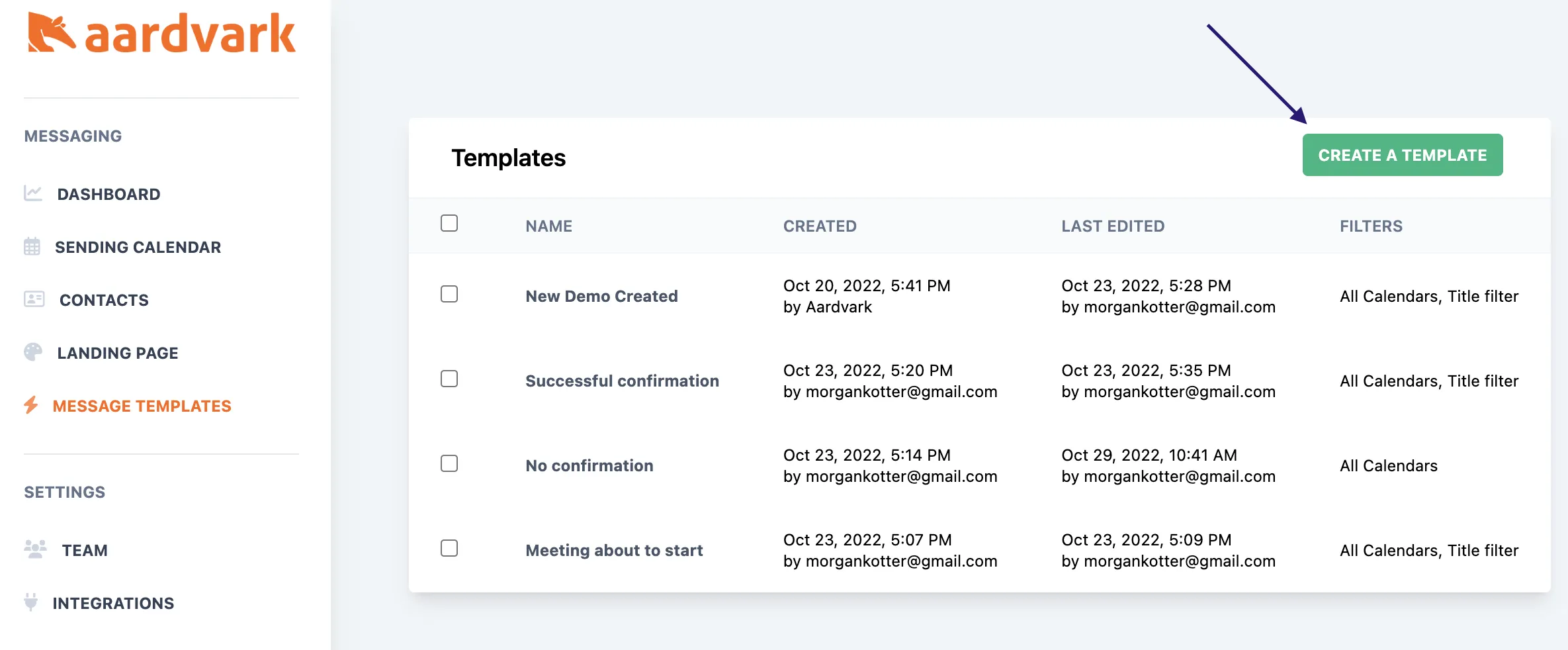
From here, you can configure your SMS automation settings -- message timing, recipients, and content.
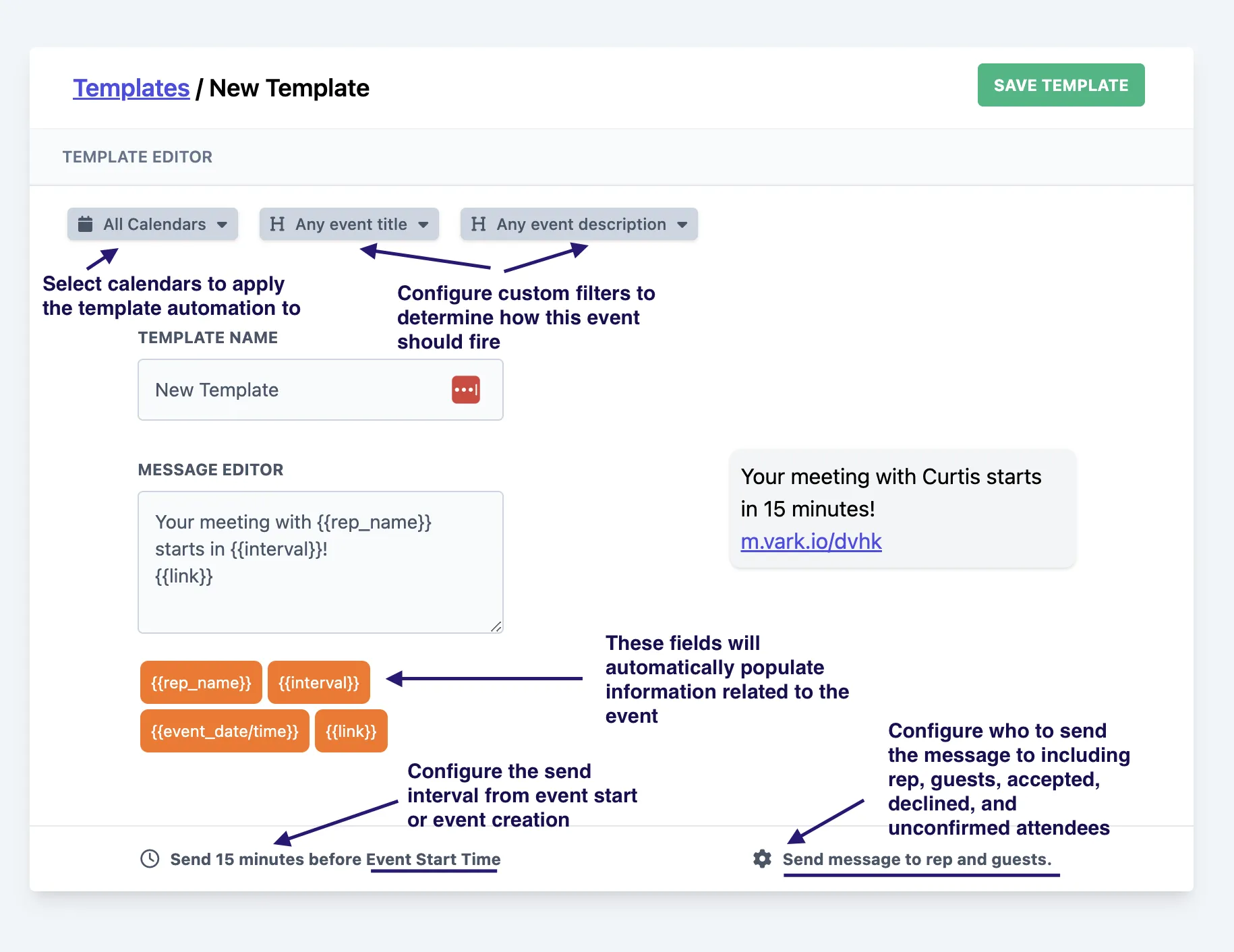
Restrict to specific calendars
Templates can be scoped to individual Google Calendars so different meeting types get different messages. Learn how to set up a calendar in your Google account.
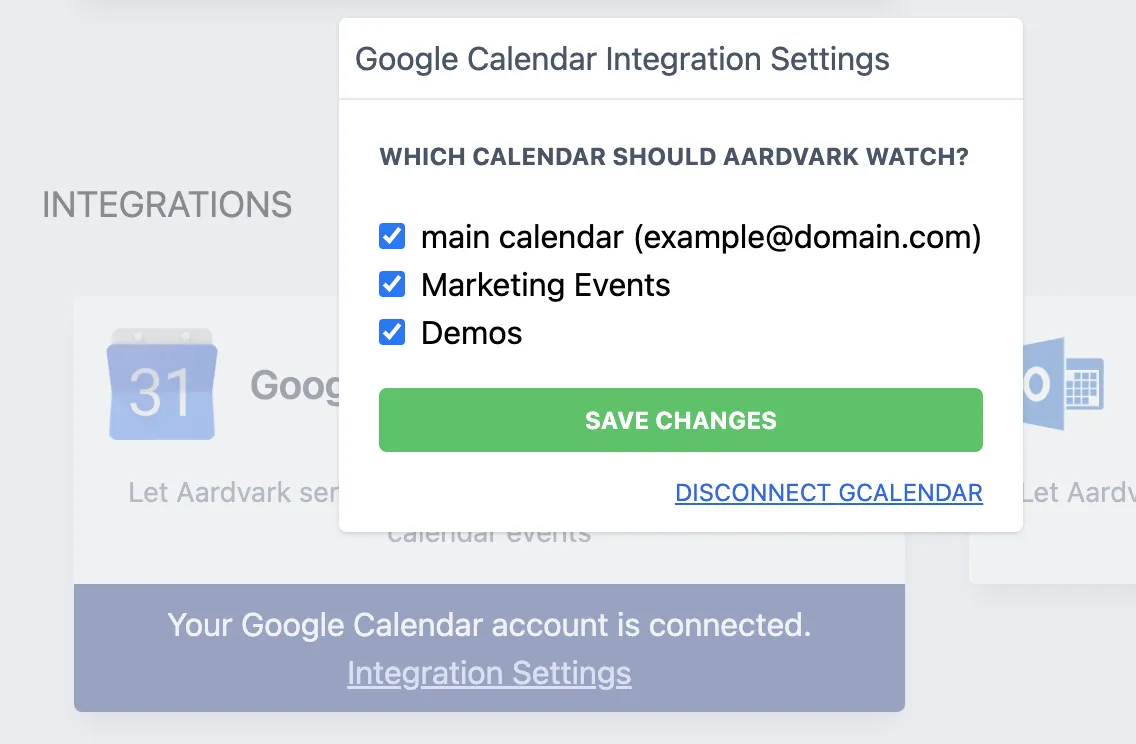
If your calendars aren't showing up, go to your Integrations page, select Integration Settings, and make sure the calendars are enabled.
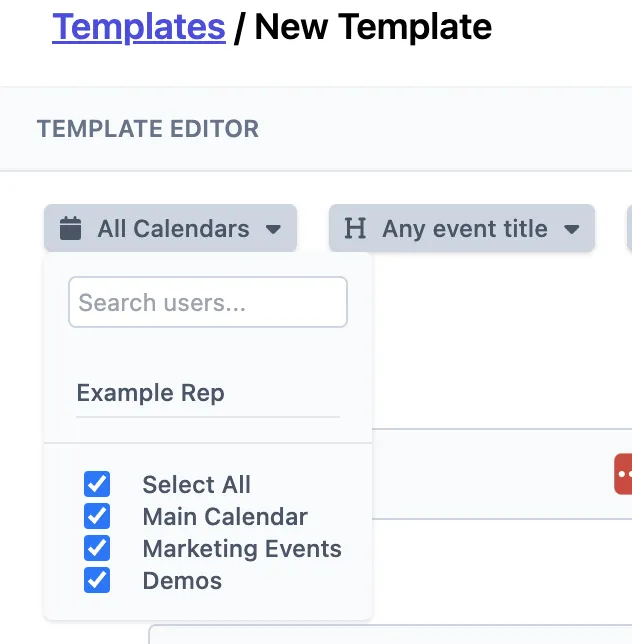
Once your calendars are configured, open the Calendars tab in your template and select which calendar to apply the automation to.
More in Messages & Templates
Was this article helpful?
Can't find what you need? Contact support