
Send reminders based on event title or description
Filter which meetings trigger SMS reminders by matching keywords in the calendar event title or description.
1 min readUpdated 2022-12-03easy
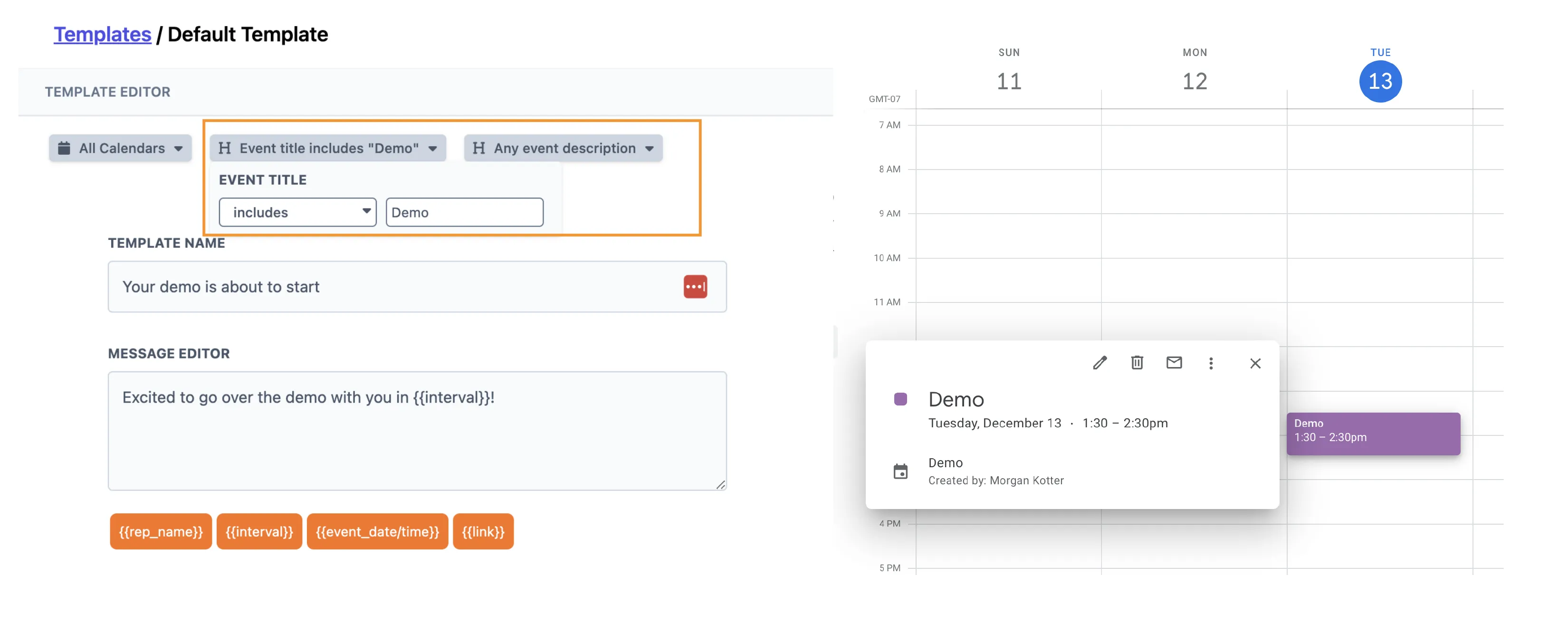
You can set up a message template to only fire for events that match specific keywords in the title or description. This is useful when you want different reminder sequences for different meeting types.
Set up a keyword filter
In your message template, open the Title or Description dropdown and choose either contains or excludes. Then enter the keyword you want to match against.
The automation will only trigger for events that meet your criteria.
More in Messages & Templates
Was this article helpful?
Can't find what you need? Contact support