
Update your payment method
Swap the credit card or payment method on file for your Aardvark subscription.
1 min readUpdated 2022-12-03easy
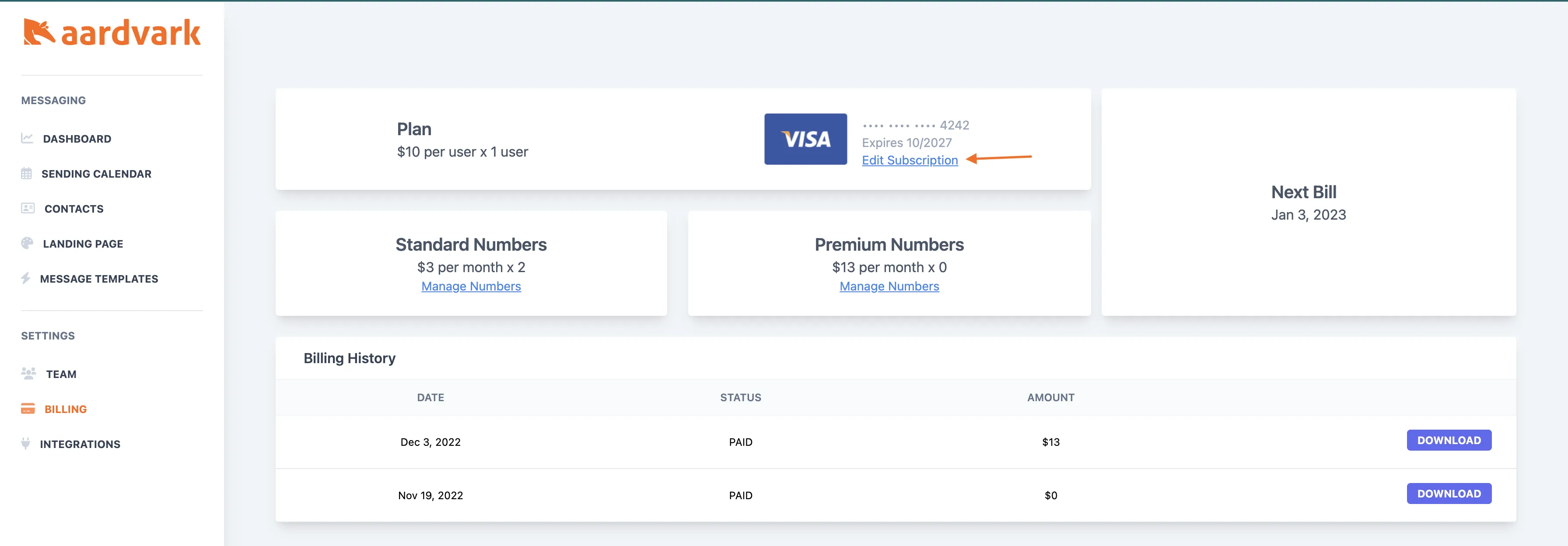
You can update your payment method from the billing page at any time.
Steps
- Go to your Billing page.
- Click Change Payment Method and enter your new card details.
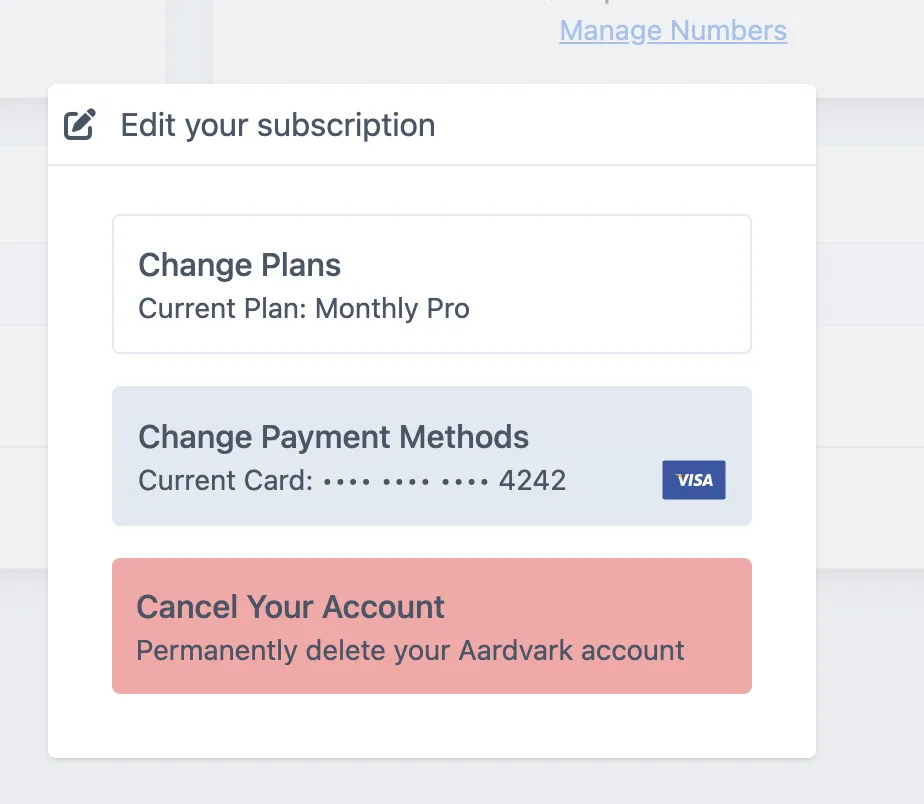
Your next charge will use the updated payment method automatically.
More in Team & Account
Was this article helpful?
Can't find what you need? Contact support