
Invite team members
Add teammates to your Aardvark account so they can connect their own calendars and start sending automated reminders.
1 min readUpdated 2022-12-03easy
Invite your sales reps so each person gets their own automated SMS reminders tied to their calendar.
- Go to the Team tab.
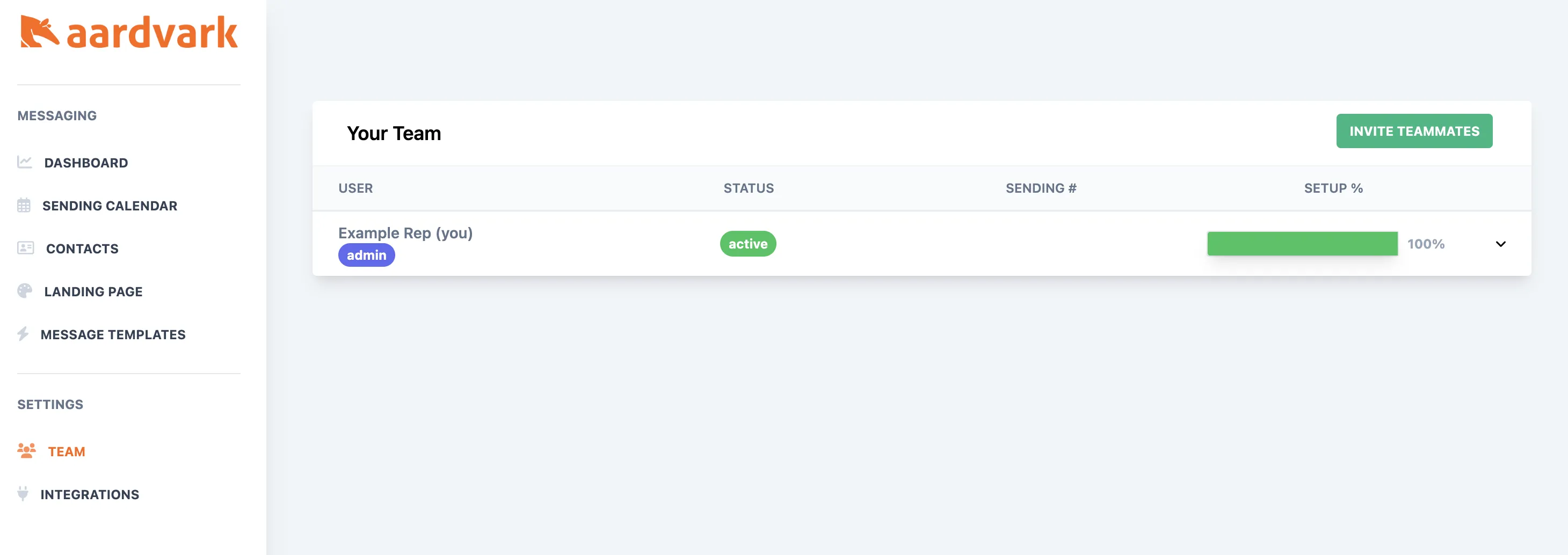
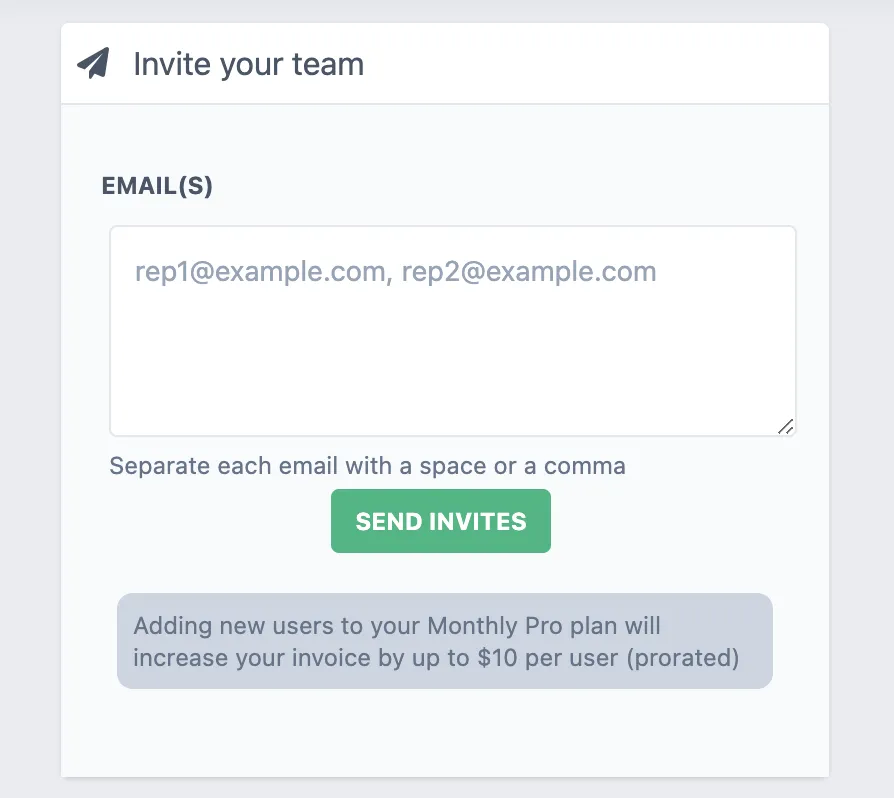
- Click Invite teammates, then enter your teammates' email addresses separated by commas. Each person will receive an invite to connect their calendar and start sending reminders.
More in Team & Account
Was this article helpful?
Can't find what you need? Contact support