
View message trends on the dashboard
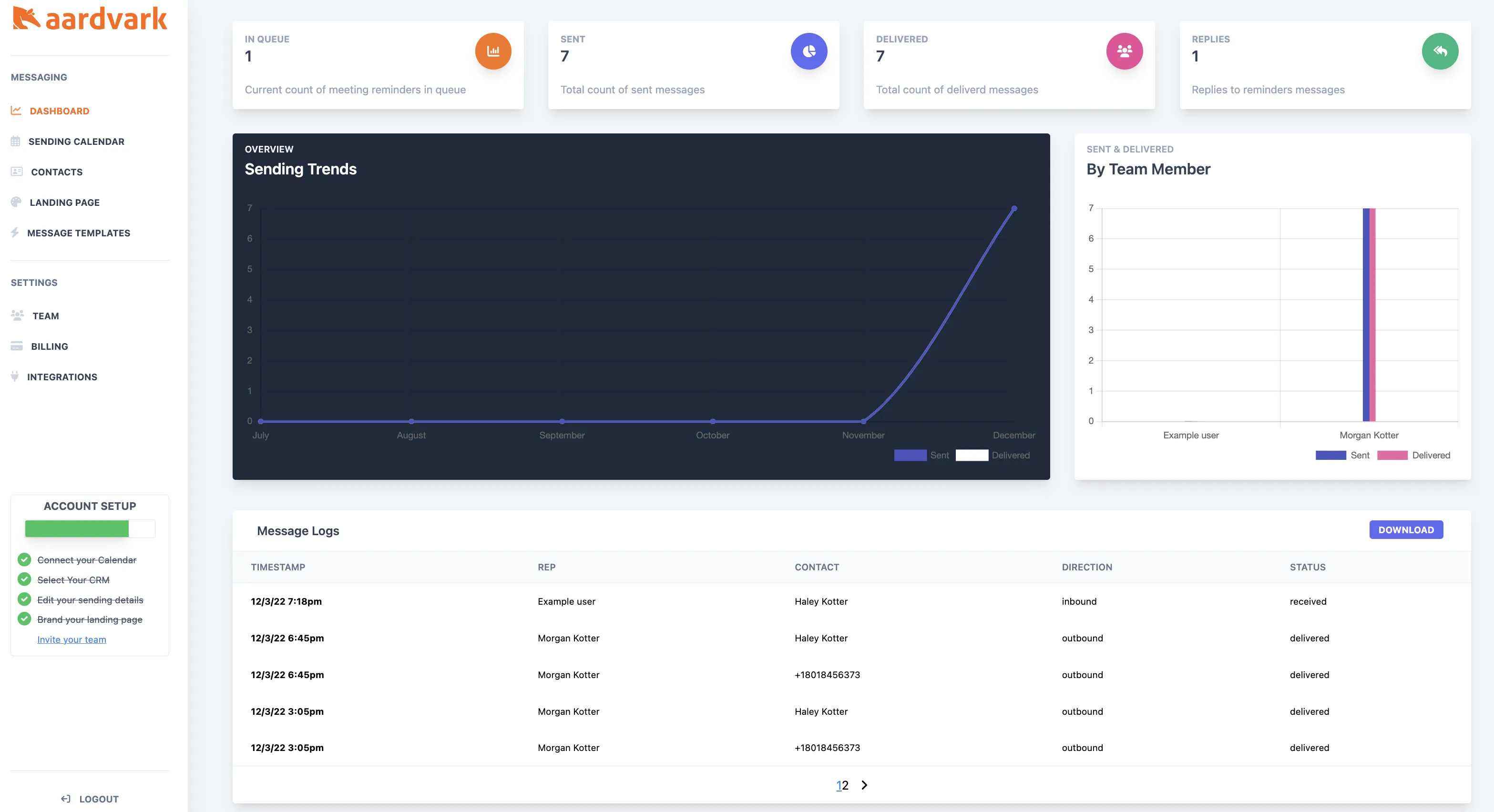
Use the dashboard to monitor message delivery, view reply activity, and drill into individual message details.
1 min readUpdated 2022-12-03easy
The dashboard gives you a high-level view of all messages sent across your team. Use it to confirm messages are going through and to review any replies.
Check message details
Click on any message in the message log to see its full details, including delivery status and timestamps.
More in Getting Started
Was this article helpful?
Can't find what you need? Contact support